Pages

Saturday, November 17, 2018

Windows 7 8.1 10 All in One 2018

Windows 7

  • Windows_7 Starter (32-bit) – English
  • Windows_7 Starter N (32-bit) – English
  • Windows_7 Starter E (32-bit) – English
  • Windows_7 Home Basic (64-bit) – English
  • Windows_7 Home Basic (32-bit) – English
  • Windows_7 Home Basic N (64-bit) – English
  • Windows_7 Home Basic N (32-bit) – English
  • Windows_7 Home Basic E (64-bit) – English
  • Windows_7 Home Basic E (32-bit) – English
  • Windows_7 Home Premium (64-bit ) – English
  • Windows_7 Home Premium (32-bit) – English
  • Windows_7 Home Premium N (64-bit) – English
  • Windows_7 Home Premium N (32-bit) – English
  • Windows_7 Home Premium E (64-bit) – English
  • Windows_7 Home Premium E (32-bit) – English
  • Windows_7 Professional (Retail) (64-bit) – English
  • Windows_7 Professional (Retail) (32-bit) – English
  • Windows_7 Professional N (Retail) (64-bit) – English
  • Windows_7 Professional N (Retail) (32-bit) – English
  • Windows_7 Professional E (Retail) (64-bit) – English
  • Windows_7 Professional E (Retail) (32-bit) – English
  • Windows_7 Professiona l (Volume) (64-bit) – English
  • Windows_7 Professional (Volume) (32-bit) – English
  • Windows_7 Ultimate (64-bit) – English
  • Windows_7 Ultimate (32-bit) – English
  • Windows_7 Ultimate N (64-bit) – English
  • Windows_7 Ultimate N (32-bit) – English
  • Windows_7 Ultimate E (64-bit) – English
  • Windows_7 Ultimate E (32-bit) – English
  • Windows_7 Enterprise (64-bit) – English
  • Windows_7 Enterprise (32-bit) – English
  • Windows_7 N Enterprise (64-bit) – English
  • Windows_7 Enterprise N (32-bit) – English
  • Windows_7 Enterprise E (64-bit) – English
  • Windows_7 Enterprise E (32-bit) – English

Windows 8.1

  • Single Language Windows_8.1 (64-bit) – English
  • Windows_8.1 Single Language (32-bit) – English
  • Windows_8.1 (64-bit) – English
  • Windows_8.1 (32-bit) – English
  • Windows_8.1 N (64 -Bit) – English
  • Windows_8.1 N (32-bit) – English
  • Windows_8.1 Pro (Retail) (64-bit) – English
  • Windows_8.1 Pro (Retail) (32-bit) – English
  • Windows_8.1 Pro N ( Retail) (64-bit) – English
  • Windows_8.1 Pro N (Retail) (32-bit) – English
  • Windows_8.1 Pro (Volume) (64-bit) – English
  • Windows_8.1 Pro (Volume) (32-bit) – English
  • Windows_8.1 Pro N (Volume) (64-bit) – English
  • Windows_8.1 Pro N (Volume) (32-bit) – English
  • Windows_8.1 Pro with WMC (64-bit) – English
  • Windows_8.1 Pro with WMC (32-bit) – English
  • Windows_8.1 Enterprise (64-bit) – English
  • Windows_8.1 Enterprise (32-bit) – English
  • Windows_8.1 Enterprise N (64-bit) – English
  • Windows_8.1 Enterprise N (32- bit) – English

Windows Embedded

  • 8.1 Industry Pro Windows_Embedded (64-bit) – English
  • Windows_Embedded 8.1 Industry Pro (32-bit) – English
  • Windows_Embedded 8.1 Industry Enterprise (64-bit) – English
  • Windows_Embedded 8.1 Industry Enterprise (32-bit) – English

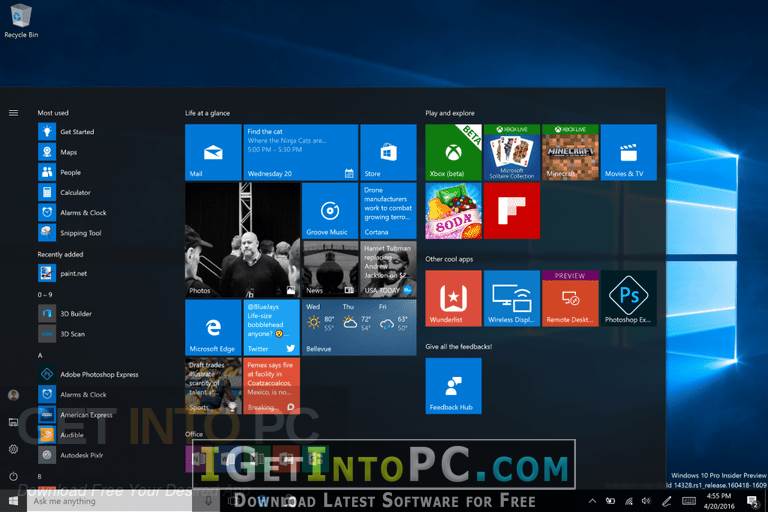
Windows 10

  • Windows_10, Version 1607 Home Single Language (64-bit) – English
  • Windows_10, Version 1607 Home Single Language (32-bit) – English
  • Windows_10, Version 1607 Home (64-bit) – English
  • Windows_10, Version 1607 Home (32-bit) – English
  • Windows_10, Version 1607 Home N (64-bit) – English
  • Windows_10, Version 1607 Home N (32-bit) – English
  • Windows_10, Version 1607 Pro (Retail) (64-bit) – English
  • Windows_10, Version 1607 Pro (Retail ) (32-bit) – English
  • Windows_10, Version 1607 Pro N (Retail) (64-bit) – English
  • Windows_10, Version 1607 Pro N (Retail) (32-bit) – English
  • Windows_10, Version 1607 Pro (Volume) (64 -Bit) – English
  • Windows_10, Version 1607 Pro (Volume) (32-bit) – English
  • Windows_10, Version 1607 Pro N (Volume) (64-bit) – English
  • Windows_10, Version 1607 Pro N (Volume) (32-bit) – English
  • Windows_10, Version 1607 Education (Retail) (64-bit) – English
  • Windows_10, Version 1607 Education (Retail) (32-bit) – English
  • Windows_10, Version 1607 Education N (Retail) (6 4-bit) – English
  • Windows_10, Version 1607 Education N (Retail) (32-bit) – English
  • Windows_10, Version 1607 Education (Volume) (64-bit) – English
  • Windows_10, Version 1607 Education (Volume) (32-bit) – English
  • Windows_10, Version 1607 Education N (Volume) (64-bit) – English
  • Windows_10, Version 1607 Education N (Volume) (32-bit) – English
  • Windows_10, Version 1607 Enterprise (64-bit) – English
  • Windows_10, Version 1607 Enterprise (32-bit) – English
  • Windows_10, Version 1607 Enterprise N (64-bit) – English
  • Windows_10, Version 1607 Enterprise N (32-bit) – English
  • Windows_10, Version 1607 Enterprise 2016 Ltsb (64-bit) – English
  • Windows_10, Version 1607 Enterprise 2016 Ltsb (32-bit) – English
  • Windows_10, Version 1607 Enterprise N 2016 Ltsb (64-bit) – English
  • Windows_10, Version 1607 Enterprise N 2016 Ltsb (32-bit) – English
  • Windows_10, Version 1709 S (Cloud) (64-bit) – English
  • Windows_10, Version 1709 S (Cloud) (32-bit) – English
  • Windows_10, Version 1709 SN (Cloud N) (64-bit) – English
  • Windows_10, Version 1709 SN (Cloud N) (32-bit) – English
  • Windows_10, Version 1709 Home Single Language (64-bit) – English
  • Windows_10, Version 1709 Home Single Language (32-bit ) – English
  • Windows_10, Version 1709 Home (64-bit) – English
  • Windows_10, Version 1709 Home (32-bit) – English
  • Windows_10, Version 1709 Home N (64-bit) – English
  • Windows_10, Version 1709 Home N (32-bit ) – English
  • Windows_10, Version 1709 Pro (Retail) (64-bit) – English
  • Windows_10, Version 1709 Pro (Retail) (32-bit) – English
  • Windows_10, Version 1709 Pro N (Retail) (64-bit) – English
  • Windows_10 , Version 1709 Pro N (Retail) (32-bit) – English
  • Windows_10, Version 1709 Pro (Volume) (64-bit) – English
  • Windows_10, Version 1709 Pro (Volume) (32-bit) – English
  • Windows_10, Version 1709 Pro N (Volume) (64-bit) – English
  • Windows_10, Version 1709 Pro N (Volume) (32-bit) – English
  • Windows_10, Version 1709 Education (Retail) (64-bit) – English
  • Windows_10, Version 1709 Educ ation (Retail) (32-bit) – English
  • Windows_10, Version 1709 Education N (Retail) (64-bit) – English
  • Windows_10, Version 1709 Education N (Retail) (32-bit) – English
  • Windows_10, Version 1709 Education (Volume ) (64-bit) – English
  • Windows_10, Version 1709 Education (Volume) (32-bit) – English
  • Windows_10, Version 1709 Education N (Volume) (64-bit) – English
  • Windows_10, Version 1709 Education N (Volume) (32 -Bit) – English
  • Windows_10, Version 1709 Enterprise (64-bit) – English
  • Windows_10, Version 1709 Enterprise (32-bit) – English
  • Windows_10, Version 1709 Enterprise N (64-bit) – English
  • Windows_10, Version 1709 Enterprise N (32 -Bit) – English
  • and Russian

Features of Windows 7 8.1 10 All in One 2018 ISO

Below are some noticeable features which you’ll experience after Windows 7 8.1 10 All in One 2018 ISO free download.
  • Provides highest degree of stability and security.
  • Includes all the editions of .NET Framework.
  • Windows 10 has got a new web browser known as Spartan which has enhanced the web browsing experience.
  • Supports English and Russian both languages.

Windows 7 8.1 10 All in One 2018 ISO Technical Setup Details

  • Software Full Name: Windows 7 8.1 10 All in One 2018 ISO
  • Setup File Name: en-ru_windows_7-8.1-10_with_update_aio_238in1_x86-x64_v18.02.18.iso
  • Full Setup Size: 15 GB
  • Setup Type: Offline Installer / Full Standalone Setup
  • Compatibility Architecture: 32 Bit (x86) / 64 Bit (x64)
  • Latest Version Release Added On: 05th Jun 2018
  • Developers: Windows

System Requirements For Windows 7 8.1 10 All in One 2018 ISO

Before you start Windows 7 8.1 10 All in One 2018 ISO free download, make sure your PC meets minimum system requirements.
  • Memory (RAM): 1 GB of RAM required.
  • Hard Disk Space: 16 GB of free space required.
  • Processor: Intel Pentium 4 or later.

Windows 7 8.1 10 All in One 2018 ISO Free Download

Click on below button to start Windows 7 8.1 10 All in One 2018 ISO Free Download. This is complete offline installer and standalone setup for Windows 7 8.1 10 All in One 2018 ISO. This would be compatible with both 32 bit and 64 bit windows.

Data recovery & file recovery utilities- Active Data Studio 14

Features of Active Data Studio 14 Free Download

Below are some amazing features you can experience after installation of Active Data Studio 14 Free Download please keep in mind features may vary and totally depends if your system support them.
Active@ Boot Disk:
  • Disk data backup (Disk Image) and restore functionality.
  • Data recovery & file recovery utilities allow to recover deleted files, or recover data from deleted / damaged partitions.
  • Reset your Windows Administrator password or local user account’s attributes
  • Optimize the files to reduce time taken for read/write operations from a hard disk with Disk Defragmenter
  • Additional driver loading on-the-fly, or from pre-configured directories
  • File management – browse directories, search, copy and move files and folders
Active@ Data CD/DVD Burner:
  • Burns files and folders to CD-R, CD-RW, DVD-R, DVD+R, DVD+RW, DVD-RW, DL(Dual Layer)
  • HD DVD-RAM, HD DVD-R ;BD-RW, BD-R, BD-RW DL, BD-R DL (Blu-ray)
Active@ File Recovery:
  • Recovered files and folders can be saved on any local or network drives
  • Disk Image is created in raw format that is compatible with other utilities
  • Visible representation of file or folder recoverability
Active@ Partition Recovery:
  • Ability to preview partition files and folders before recovery
  • Detects deleted primary/extended partitions and drives
  • Creates Backup for MBR, Partition Table, Volume Boot Sectors
  • Restores detected partition information back to HDD
Active@ Disk Image:
  • May contain any set of hard drives & partitions as well as an exact copy of a PC
  • Different levels of compression
  • Supports FAT16, FAT32, NTFS, CDFS, UDF file systems
  • Transferring data, sector-by-sector, from one partition or an entire disk directly to another partition or entire disk.
Active@ Password Changer:
  • Recovers passwords from multiple partitions and hard disk drives
  • Displays full account information for any local user
  • Resets “User is Disabled” flag
Active@ KillDisk:
  • Securely overwrites and destroys all data on physical drive or logical partition
  • Supports Command Line mode (can be run with no user interaction)
  • Displays detected drive and partition information
  • Disk Viewer allows you to preview any sectors or file clusters on a drive

System Requirements for Active Data Studio 14 Free Download

Before you install Active Data Studio 14 Free Download you need to know if your pc meets recommended or minimum system requirements:
  • FAT12, FAT16, FAT32, NTFS, NTFS5, NTFS+EFS file systems; IDE / ATA / SCSI drives
  • Pentium II processor or higher
  • 512 MB or more RAM
  • A CD/DVD drive or a USB mass storage device to boot from

Active Data Studio 14 Free Download Technical Setup Details

  • Software Full Name: Active Data Studio 14 Free Download
  • Download File Name:_igetintopc.com_Active_Data_Studio_14_x64.zip
  • Download File Size: 669 MB
  • Application Type: Offline Installer / Full Standalone Setup
  • Compatibility Architecture: 64Bit (x64)
  • Developers: LSoft Technologies Inc

How to Install Active Data Studio 14 Free Download

  • Extract the zip file using WinRAR or WinZip or by default Windows command.
  • Open Installer and accept the terms and then install program.

Active Data Studio 14 Free Download

Click on below button to start Active Data Studio 14 Free Download. This is complete offline installer and standalone setup for Active Data Studio 14. This would be working perfectly fine with compatible version of Windows.

Windows 7-8.1-10 Pro x86 x64

Features of Windows 7-8.1-10 Pro x86 x64 October 2018 Single ISO Free Download

Below are some amazing features you can experience after installation of Windows 7-8.1-10 Pro x86 x64 October 2018 Single ISO Free Download please keep in mind features may vary and totally depends if your system support them.
Following Versions Included:
  • Windows 10 Pro v1803 x86
  • Windows 10 Pro v1803 x64
  • Windows 8.1 Pro Vl x86
  • Windows 8.1 Pro Vl x64
  • Windows 7 Professional Vl Sp1 x86
  • Windows 7 Professional Vl Sp1 x64
  • Language: English
  • Size:-10 gb
  • All Security updates till October embedded.
  • All Microsoft Updates till October included for all version of windows.


System Requirements for Windows 7-8.1-10 Pro x86 x64 October 2018 Single ISO Free Download

Before you install Windows 7-8.1-10 Pro x86 x64 October 2018 Single ISO Free Download you need to know if your pc meets recommended or minimum system requirements:
  • Processor: 1 gigahertz (GHz) or higher.
  • RAM: 1 gigabyte (GB).
  • Free space on hard drive space: 16 gigabytes (GB).
  • Graphics card: graphics device Microsoft DirectX 9 or later.
  • Additional requirements to use certain features.
  • To use the touch features require tablet or monitor that supports multi-touch.
  • To access the Windows Store to download and run applications that require an active Internet connection and a screen resolution of at least 1024×768 pixels.


Windows 7-8.1-10 Pro x86 x64 October 2018 Single ISO Free Download Technical Setup Details

  • Software Full Name: Windows 7-8.1-10 Pro x86 x64 October 2018 Single ISO Free Download
  • Setup File Name: _igetintopc.com_ Windows 7-8.1-10 Pro x86 x64 October 2018 Single ISO.zip
  • Size: 10 GB.
  • Setup Type: Offline Installer / Full Standalone Setup
  • Compatibility Architecture: 64Bit (x64) 32Bit (x86)
  • Developers: Microsoft

How to Install Windows 7-8.1-10 Pro x86 x64 October 2018 Single ISO Free Download

  • Extract the zip file using WinRAR or WinZip or by default Windows command.
  • Download Rufus and use it to make bootable USB to install windows on your systems.

Windows 7-8.1-10 Pro x86 x64 October 2018 Single ISO Free Download

Click on below button to start Windows 7-8.1-10 Pro x86 x64 October 2018 Single ISO Free Download. This is complete offline installer and standalone setup for Windows 7-8.1-10 Pro x86 x64 October 2018 Single ISO. This would be working perfectly fine with compatible version of hardware.

Kali Linux 2018.4

Features of Kali Linux 2018.4 Free Download

Below are some amazing features you can experience after installation of Kali Linux 2018.4 Free Download please keep in mind features may vary and totally depends if your system support them.
  • idb – An iOS research / penetration testing tool
  • gdb-peda – Python Exploit Development Assistance for GDB
  • datasploit – OSINT Framework to perform various recon techniques
  • kerberoast – Kerberos assessment tools

System Requirements for Kali Linux 2018.4 Free Download

Before you install Kali Linux 2018.4 Free Download you need to know if your pc meets recommended or minimum system requirements:
  • A minimum of 10 GB disk space for the Kali Linux install.
  • For i386 and amd64 architectures, a minimum of 512MB RAM.
  • CD-DVD Drive / USB boot support

Kali Linux 2018.4 Free Download Technical Setup Details

  • Software Full Name: Kali Linux 2018.4 Free Download
  • Download File Name:
  • _igetintopc.com_Kali_Linux_2018.4_x86.zip
  • _igetintopc.com_Kali_Linux_2018.4_x64.zip
  • Download File Size: x64 2.91 GB. X86 2.98 GB
  • Application Type: Offline Installer / Full Standalone Setup
  • Compatibility Architecture: 64Bit (x64) 32Bit (x86)
  • Developers: Kali Linux

How to Install Kali Linux 2018.4 Free Download

  • Extract the zip file using WinRAR or WinZip or by default Windows command.
  • Open Installer and accept the terms and then install program.

Kali Linux 2018.4 Free Download

Click on below button to start Kali Linux 2018.4 Free Download. This is complete offline installer and standalone setup for Kali Linux 2018.4. This would be working perfectly fine with compatible version of Windows.

32bit Version


64bit Version


Operating Systems

Windows Embedded 8.1 Industry Pro Free Download

Click on below button to start Windows Embedded 8.1 Industry Pro Free Download. This is complete offline installer and standalone setup for Windows Embedded 8.1 Industry Pro. This would be working perfectly fine with compatible version of Windows.

Windows 7

Features of Windows 7 October 2018 x64 ISO Free Download

Below are some amazing features you can experience after installation of Windows 7 October 2018 x64 ISO Free Download please keep in mind features may vary and totally depends if your system support them.
Language: English US
Editions Included
  • Windows 7 Home Premium
  • Windows 7 Professional
  • Windows 7 Ultimate
Pre-installed:
  • .NET Framework 4.7.2
  • Internet Explorer 11
  • DirectX End-User Runtimes (June 2010)
  • Important & Security Only Updates – 2018-10-09
  • Windows Defender Updates
  • UEFI Ready
  • (Use attached Rufus USB-tool to make UEFI-bootable)
  • Diagnostics and Recovery Toolset 10.0 (Microsoft DaRT)

System Requirements for Windows 7 October 2018 x64 ISO Free Download

Before you install Windows 7 October 2018 x64 ISO Free Download you need to know if your pc meets recommended or minimum system requirements:
  • CPU: 1 Gigahertz (Ghz) Or Faster 32-Bit (X64) or 64-Bit (X64) Processor
  • RAM: 1 Gigabyte (GB) Ram (32-Bit) Or 2 GB Ram (64-Bit)
  • HDD: 16 GB Available Hard Disk Space (32-Bit) Or 20 GB (64-Bit)
  • VGA: Directx 9 Graphics Device with WDDM 1.0 or Higher Driver.

Windows 7 October 2018 x64 ISO Free Download Technical Setup Details

  • Software Full Name: Windows 7 October 2018 x64 ISO Free Download
  • Setup File Name: _igetintopc.com_ Windows 7 October 2018 x64 ISO.zip
  • Size: 2.9 GB.
  • Setup Type: Offline Installer / Full Standalone Setup
  • Compatibility Architecture: 64Bit (x64)
  • Developers: Microsoft

How to Install Windows 7 October 2018 x64 ISO Free Download

  • Extract the zip file using WinRAR or WinZip or by default Windows command.
  • Open Installer and accept the terms and then install program.

Windows 7 October 2018 x64 ISO Free Download

Click on below button to start Windows 7 October 2018 x64 ISO Free Download. This is complete offline installer and standalone setup for Windows 7 October 2018 x64 ISO. This would be working perfectly fine with compatible version of Windows.

password is igetintopc.com


System Requirements for Windows 7 October 2018 x86 ISO Free Download

Before you install Windows 7 October 2018 x86 ISO Free Download you need to know if your pc meets recommended or minimum system requirements:
  • CPU: 1 Gigahertz (Ghz) Or Faster 32-Bit (X86) or 64-Bit (X64) Processor
  • RAM: 1 Gigabyte (GB) Ram (32-Bit) Or 2 GB Ram (64-Bit)
  • HDD: 16 GB Available Hard Disk Space (32-Bit) Or 20 GB (64-Bit)
  • VGA: Directx 9 Graphics Device with WDDM 1.0 or Higher Driver.

Windows 7 October 2018 x86 ISO Free Download Technical Setup Details

  • Software Full Name: Windows 7 October 2018 x86 ISO Free Download
  • Setup File Name: _igetintopc.com_Windows_7_October_2018_x86.zip
  • Size: 3.4 GB.
  • Setup Type: Offline Installer / Full Standalone Setup
  • Compatibility Architecture: 32Bit (x86)
  • Developers: Microsoft

How to Install Windows 7 October 2018 x86 ISO Free Download

  • Extract the zip file using WinRAR or WinZip or by default Windows command.
  • Open Installer and accept the terms and then install program.

Windows 7 October 2018 x86 ISO Free Download

Click on below button to start Windows 7 October 2018 x86 ISO Free Download. This is complete offline installer and standalone setup for Windows 7 October 2018 x86 ISO. This would be working perfectly fine with compatible version of hardware.

password is igetintopc.com


Windows 8.1 ISO

Features of Download Windows 8.1 ISO October 2018

Below are some amazing features you can experience after installation of Download Windows 8.1 ISO October 2018 please keep in mind features may vary and totally depends if your system support them.
  • NET Framework 3.5 already installed
  • NET Framework 4.7.2 already installed
  • Important & Security Only Updates – Till October 2018
  • Windows Defender Updates
  • Language: English US
Editions Included in these ISO Images
  • Windows 8.1 Home
  • Windows 8.1 Pro
  • Windows 8.1 Enterprise
Do NOT chose STD (standard version) while installation if you want it auto activated.
Other Features
  • UEFI-ready
  • (Use attached Rufus USB-tool to make UEFI-bootable)
  • install.wim compressed to recovery format (install.esd)
  • Diagnostics and Recovery Toolset 8.1 (Microsoft DaRT)
How to do it?

System Requirements for Download Windows 8.1 ISO October 2018

Before you install Download Windows 8.1 ISO October 2018 you need to know if your pc meets recommended or minimum system requirements:
Processor:
  • Intel® Celeron® Processor 847, 1.10 GHz or faster
RAM:
  • A minimum of 512 MB, 2 GB is recommended (amount depends on the language version you are using.)
Hard Disk:
  • 2 GB of available hard-disk space for installation; extra free space is required during installation. You cannot install on removable flash storage devices.
Video:
  • 1366 x 768 with 10 inches or larger device
Browser/Internet:
  • This application is designed to work offline, It’s possible to download and launch Google Play* Store apps within the application; a high-speed Internet connection is recommended for this feature.


Download Windows 8.1 ISO October 2018 Technical Setup Details

  • Software Full Name: Download Windows 8.1 ISO October 2018
  • Setup File Name: _igetintopc.com_Windows_8.1_X86_ISO.iso, _igetintopc.com_Windows_8.1_X64_October_2018.zip
  • Download Size: 2.87 GB, 3.9 GB
  • Setup Type: Offline Installer / Full Standalone Setup
  • Compatibility Architecture: 64Bit (x64) 32Bit (x86)
  • Developers: Microsoft

How to Install Download Windows 8.1 ISO October 2018

  • Extract the zip file using WinRAR or WinZip or by default Windows command.
  • Open Installer and accept the terms and then install program.

Download Windows 8.1 ISO October 2018

Click on below button to start Download Windows 8.1 ISO October 2018. This is complete offline installer and standalone setup for Windows 8.1 October 2018 ISO. This would be working perfectly fine with compatible version of Windows.

32bit Version


64bit Version


Windows XP Professional SP3

Features of Windows XP Professional SP3 October 2018 Free Download

Below are some amazing features you can experience after installation of Windows XP Professional SP3 October 2018 Free Download please keep in mind features may vary and totally depends if your system support them.
Windows XP Updates:
  • Windows XP Service Pack 3 (KB936929).
  • Windows XP and POS Ready 2009 Updates/Hotfixes until 9.10(October).2018.
  • Windows Genuine Advantage Validation v1.9.42.0 (KB905474) {Cracked}.
  • Windows Internet Explorer v8 (Roll Back to 6 possible).
  • Windows Media Player v11 (Roll Back to 9 possible).
  • Windows Remote Desktop Connection 7.0 (KB969084, KB2813347-v2, KB2870165-v3).
  • Windows Rights Management Client (KB979099).
  • Windows Driver Frameworks 1.9 – User Mode (KB970158) and Kernel Mode (KB970159).
  • Windows Feature Pack for Storage v1.0 (KB952013) – Image Mastering API v2.0 (KB932716-v2, KB952011).
  • Windows Feature Pack for Storage v1.0 (KB952013) – ICCD Smart Card Driver.
  • Windows Installer v4.5.6002.24298 (KB942288, KB4087398).
  • Windows XP exFAT file system driver update package v1.0 (KB955704).
  • Windows XP Root Certificates Update [September 2018 v41.0.2195.1810] (KB931125).
  • Windows XP Revoked Roots Certificates Update [December 2015 v8.0.2195.1512] (SA3123040).
  • Windows XP CAPICOM v2.1.0.2 (KB931906).
  • Microsoft European Union Expansion Font Update v1.2.
  • Microsoft WinUSB 2.0 (KB971286).
  • Microsoft XML Paper Specification Essentials Pack v1.2.
  • Microsoft XML Core Services v4.0 SP3 4.30.2117.0 (KB2758694).
  • Microsoft Web Folders v12.0.6612.1000 (KB907306, KB2526086/Rosebub).
  • Microsoft Windows Browser Choice (KB976002-v5).
  • Windows Update v7.6.7600.256.
  • Windows Update Web Control v7.6.7600.257.
  • Microsoft Update Web Control v7.6.7600.257.
  • Microsoft Update Catalog Web Control v7.4.7057.249 (build time-stamp 130620-1021).
Windows XP Runtime Libraries:
  • Microsoft DirectX 9.0c End-User Runtimes v9.29.1974 (June 2010).
  • Microsoft .NET Framework [Up-to-Date/11.9(September).2018]: 1.1 SP1, 2.0 SP2, 3.0 SP2, 3.5 SP1, 4.0 Full – {Optional}.
  • Microsoft Visual C++: 2002 (v7.0.9975), 2003 (v7.10.6119), 2005 SP1 (v8.0.50727), 2008 SP1 (v9.0.30729), 2010 SP1 (v10.40219), 2012 Update 5 (v11.0.61135), 2013 Update 5 (v12.0.40664), 2017 (v14.15.26706).
  • Microsoft Visual Basic: v1.00, v2.0.9.8, v3.0.5.38, v4.0.29.24, v5.2.82.44, v6.1.98.39 (SP6 Update KB2911777, KB2992332).
Windows XP Applications:
  • Microsoft Calculator Plus v1.0.0.908 {Replaces the default Calculator}.
  • Microsoft BitLocker To Go Reader v1.0 (KB970401).
  • Windows XP Powertoy – ClearType Tuner v1.01 – {Optional}.
  • Windows XP Powertoy – Alt-Tab Replacement v1.0 – {Optional}.
  • Windows XP User Profile Hive Cleanup Service v2.0.49 Beta – {Optional}.
  • Windows XP GDI+ Detection Tool v1 (KB873374).
  • Windows XP QFEcheck v6.2.29.0 (KB282784).
Additional Applications:
  • 7-Zip v18.05 – {Optional}.
  • Basilisk/UXP v2018.10.13 (Mozilla Firefox fork for Windows XP) – {Optional}.
  • PotPlayer v1.7.14804 – {Optional}.
  • Unlocker v1.9.2 – {Optional}.
  • SumatraPDF v3.1.2 – {Optional}.
  • ImDisk Toolkit v2018.9.17 – {Optional}.
  • HashCheck v2.4.0.55 – {Optional}.
  • Open Command Prompt Shell Extension v2.1.0 – {Optional}.
Windows XP Fixes:
  • Extended Update Support Patch v1.0: Extends the Windows XP update support from “April 2014” till “April 2019” (POSReady 2009 Updates).
  • TCP/IP Patch v1.0: Allows you to have 16777215 (Maximum) Half-Open TCP Connections instead of 10.
  • UxTheme Patch v1.0: Allows you to use un-signed Custom Visual Styles (Themes).
  • TermSrv Patch v1.0: Allows you to have multiple concurrent remote desktop connections.
  • SFC Patch v1.0: Allows you to disable and enable the Windows File Protection with the registry entry “SfcDisable”.
  • SndRec32 Patch v2.0: Fixes a Sound Recorder error message on a computer that has more than 2GB of RAM and Increases the Recording Time Limit from 60 Seconds to 999 Seconds.
  • Shell32 Patch v1.0: Fixes the missing Icons in the notification area.
  • NTDETECT Patch v1.1: Resolves a problem with some buggy BIOS’es, when installing Windows XP with an USB Flash Drive.
  • RAID-5 Patch v1.0: Enables Software RAID-5 Support.
  • SERVICES Patch v1.0: Includes more assigned port numbers for well-known services defined by IANA.
  • MNF4SBF v3.1: Fixes a Microsoft .NET Framework 4 bug that causes a slow Windows XP boot up.
  • Fixed Missing ClipBook Viewer shortcut in the Start Menu (accessor.inf).
Windows XP Tweaks:
  • Pre-Configured Windows XP Settings – {Optional}.
  • Pre-Configured Program Settings – {Optional}.
  • Suppressing Microsoft Update nagging to install Windows Genuine Advantage Notifications v1.9.40.0 (KB905474).
  • Suppressing Microsoft Update nagging to install Windows XP End of Service Notifications (KB2934207).
  • Suppressing Microsoft Update nagging to install Windows Malicious Software Removal Tool v5.39.12900.0 (KB890830).
Extras
  • Ported Compatible Updates/Hotfixes and RTM files from Office 2000, Windows 2000, Windows POSReady 2009, Windows Vista, Windows 7 (More details in the ReadMe file).
  • DriverPacks BASE v11.09.01.2b – With the Driver Packs: MassStorage v18.04.21 (SATA/AHCI), LAN v18.04.21 (Cable Ethernet) – Compressed = 23 MB / Uncompressed = 143 MB – {Removable}.
  • 9 Additional Windows XP Themes – {Optional}: “Windows XP Embedded”, “Black Mesa v2.0”, “ChaNinja Style RC5 v1.0”, “Disney – It’s a Magical World v2.0”, “NeoGeniX LS v1.0”, “Luna Element Black v5.1 + CSS”, “Royale Remixed v1.47”, “Windows 7 Colors v1.1”, “Zune Final v1.0”.
  • Windows File Protection Utility v1.4 (In “Start Menu -> All Programs -> Accessories -> System Tools”).
  • Windows XP CD-Key Changer v1.2 (In ISO/Disc folder “..\OEM\WinXPPx86IE”).
  • Windows NT Registration Changer v1.0 (In ISO/Disc folder “..\OEM\WinXPPx86IE”).
  • Text file with some valid WGA CD-Keys (In ISO/Disc folder “..\OEM\WinXPPx86IE”).
  • Help file with lots of useful information (In ISO/Disc folder “..\OEM\WinXPPx86IE”).
Patched and Modified files are all digitally signed with a custom certificate.
Removed Windows XP Components:
Nothing was removed that could cause System or Software problems, only outdated and unneeded components were removed.
  • Applications: “Address Book”.
  • Multimedia: “Images and Backgrounds”, “Movie Maker”, “Music Samples”.
  • Network: “MSN Explorer”, “Netmeeting”, “Outlook Express”, “Windows Messenger”.
  • Operating System Options: “Blaster and Nachi removal tool”, “Desktop Cleanup Wizard”, “Out of Box Experience (OOBE)”, “Tour”.
  • 3rd-party Drivers: “Display Adapters”, “ISDN”, “Logitech WingMan”, “Microsoft SideWinder”, “Scanners”, “Sony Jog Dial”, “Toshiba DVD decoder card”.
  • Disc Files: “clock.avi”, “flash.ocx”, “mmc.chm”, “plugin.ocx”, “rdsktpw.chm”, “swflash.inf”, “swtchbrd.bmp”, “yahoo.bmp”.
  • Disc Folders: “DOTNETFX”, “SUPPORT”, “VALUEADD”, “I386\WIN9XMIG”, “I386\WIN9XUPG”.
  • Bugged Updates/Files that have not been added (Manual installers in ISO/Disc folder “.\OEM\Bugged Updates”):
  • “KB2926765” (shlwapi.dll) / This Update was not added due to a Microsoft bug with the changing of the Internet and E-mail item on the Start menu.
  • “oleaut32.dll” (KB4074852, KB4134651, and KB4134651-v2) / This File was not added due to a Microsoft bug that will cause problems with some programs.
October 2018 Changes:
  • Added the latest Windows XP (POSReady 2009) Updates/Hotfixes from 12.9(September).2018 till 9.10(October).2018: KB4458008 | KB4462935 (Replaces KB4338381) | KB4462949-IE8 (Replaces KB4457426-IE8) | KB4462987 | KB4463103 (Replaces KB4230467) | KB4463361 | KB4463545 (Replaces KB4339854) | KB4463573.
  • Added Shell32 Patch v1.0 (Fixes the missing Icons in the notification area).
  • Replaced “Mozilla Firefox v52.9.0 ESR” with “Basilisk/UXP v2018.10.13” (Mozilla Firefox fork for Windows XP).
  • Updated PotPlayer from “v1.7.13963” to “v1.7.14804”.
  • Updated ImDisk Toolkit from “v2017.7.6” to “v2018.9.17”.

System Requirements for Windows XP Professional SP3 October 2018 Free Download

Before you install Windows XP Professional SP3 October 2018 Free Download you need to know if your pc meets recommended or minimum system requirements:
Minimum system requirements
  • Processor: Pentium III
  • Memory: 512 Mb
  • Hard disk space: 5 GB available
  • Video card: Super VGA (800 x 600)

Windows XP Professional SP3 October 2018 Free Download Technical Setup Details

  • Software Full Name: Windows XP Professional SP3 October 2018 Free Download
  • Setup File Name: _igetintopc.com_Windows_XP_Professional_SP3_October_2018.zip
  • Download File Size: 665 MB.
  • Setup Type: Offline Installer / Full Standalone Setup
  • Compatibility Architecture: 32Bit (x86)
  • Developers: Microsoft

How to Install Windows XP Professional SP3 October 2018 Free Download

  • Extract the zip file using WinRAR or WinZip or by default Windows command.
  • Open Installer and accept the terms and then install program.

Windows XP Professional SP3 October 2018 Free Download

Click on below button to start Windows XP Professional SP3 October 2018 Free Download. This is complete offline installer and standalone setup for Windows XP Professional SP3 October 2018. This would be working perfectly fine with compatible version of Windows.

Windows 10 Pro

Features of Windows 10 Pro 1809 x64 November 2018 ISO Free Download

Below are some amazing features you can experience after installation of Windows 10 Pro 1809 x64 November 2018 ISO Free Download please keep in mind features may vary and totally depends if your system support them.
Contains the following version:
  • Windows 10 Pro
  • Language: English
  • Activation Status: All is done already.
  • File Explorer now features a dark theme when Dark Mode is enabled in Settings.
  • You can now name live folders in Start.
  • A new “safe removal” feature has been added that lists open applications that might be using an external GPU connected via Thunderbolt 3.
  • Notifications in the Action Center now feature a fade-in effect when the Action Center is opened.
  • A redesigned snipping experience is present and can be accessed via WIN + SHIFT + S.
  • Snips will now present a notification that will open up into Screen Sketch, which is now a dedicated app.
  • You can now configure pen peripherals to take a snip when pressing a button.
  • The Print Screen button can now be configured to open Screen Sketch.
  • A new “Screen snip” action has been added to quick actions in the Action Center.
  • Copied content can now be seen in a new clipboard experience, accessed with WIN+V that can also sync to the cloud and across devices.
  • There are now three different modes you can select when wirelessly projecting your screen, and these modes are game, productivity, and video modes.
  • Users upgrading to this release for the first time will be welcomed with a post-OOBE UI that walks the user through setting up new features added in this release.
  • Game Bar has been redesigned with new features including an overview of system performance and more.
  • Search will now provide a download link for programs searched online.
  • You can now use Windows Mixed Reality without a monitor.
  • Storage Sense can now switch files to “online-only” if they haven’t been accessed after a certain number of days, saving space on your local disk.
  • Pen users can now ink directly into text boxes by default.
  • Users can now view the real world when using Windows Mixed Reality using a headsets built-in camera.
  • Emoji 11 is now available.
  • Game bar is now accessible via the Apps List in Start.


System Requirements for Windows 10 Pro 1809 x64 November 2018 ISO Free Download

Before you install Windows 10 Pro 1809 x64 November 2018 ISO Free Download you need to know if your pc meets recommended or minimum system requirements:
  • Processor: 1 gigahertz (GHz) or faster.
  • RAM: 1 gigabyte (GB).
  • Free space on hard disk: 16 gigabytes (GB).
  • Graphics card: DirectX 9 graphics device or a newer version.
  • Additional requirements to use certain features.
  • To use touch you need a tablet or monitor that supports multitouch.
  • To access the Windows store to download and run apps, you need an active Internet connection and a screen resolution of at least 1024 x 768 pixels.

Windows 10 Pro 1809 x64 November 2018 ISO Free Download Technical Setup Details

  • Software Full Name: Windows 10 Pro 1809 x64 November 2018 ISO Free Download
  • Download File Name: _igetintopc.com_Windows_10_Pro_1809_November_2018_x64.iso
  • Download File Size: 4.0 GB.
  • Application Type: Offline Installer / Full Standalone Setup
  • Compatibility Architecture: 64Bit (x64)
  • Developers: Microsoft

How to Install Windows 10 Pro 1809 x64 November 2018 ISO Free Download

  • Extract the zip file using WinRAR or WinZip or by default Windows command.
  • Open Installer and accept the terms and then install program.

Windows 10 Pro 1809 x64 November 2018 ISO Free Download

Click on below button to start Windows 10 Pro 1809 x64 November 2018 ISO Free Download. This is complete offline installer and standalone setup for Windows 10 Pro 1809 x64 November 2018 ISO. This would be working perfectly fine with compatible version of Windows.

DriverPack Solution 17.7.101 2018 Offline

Features of DriverPack Solution 17.7.101 2018 Offline

  • Easy to use for all type of users
  • Supports automated, no-prompt installs
  • Automatic search the Internet looking for drivers that are not available in the database
  • Quick downloads new drivers
  • Supports bulk downloads
  • Install drivers without an internet connection in DriverPack Full edition
  • Powerful database includes laptops and personal computers driver
  • Ability for create backup of installed drivers and restore theme in future
  • Support several languages
  • Support Windows XP,Vista,7,8,8.1,10 in both of 32bit and 64bit structure

DriverPack Solution 17.7.101 2018 Offline Technical Setup Details

  • Software Full Name: DriverPack Solution 17.7.101 2018 Offline
  • Setup File Name: _igetintopc.com_DriverPack_Solution_17.7.101_2018.iso
  • Size: 17.8GB
  • Setup Type: Offline Installer / Full Standalone Setup
  • Compatibility Architecture: 64 Bit (x64) 32 Bit (x32)
  • Latest Version Release Added On: 28 Jun 2018
  • Developers: DRPSU

System Requirements for DriverPack Solution 17.7.101 2018 Offline

  • Operating System: Windows XP/Vista/7/8/10.
  • Memory (RAM): 1 GB of RAM required.
  • Hard Disk Space: 14 GB of free space required.
  • Processor: Intel Dual Core or faster.

How to Install DriverPack Solution 17.7.101 2018 Offline

  • Extract the zip file using WinRAR or WinZip or by default Windows command.
  • Open Installer and accept the terms and then install program.

DriverPack Solution 17.7.101 2018 Offline Free Download

Click on below button to start DriverPack Solution 17.7.101 2018 Offline Free Download. This is complete offline installer and standalone setup for DriverPack Solution 17.7.101 2018 Offline. This would be compatible with 32bit and 64bit windows.

What is the best way to maintain a laptop?

1- Do not over-charge your laptop’s battery. Be mindful of this. When you charge your laptop and you realize that the battery is full, you can do these things: take out the battery and use the laptop without the battery or take out the charger and use it without the charger. I would not suggest you plug and play with the battery still in. Over charging the battery also reduces the life-cycle of the battery, and you may find out that soon it doesn’t take long for the laptop’s battery to die after it has been fully charged. When you know you won’t use your laptop for sometime, take out the battery and store it in a cool dry place

2. Clean your laptop with a dry cloth from time to time to remove any dust from it.

3. Keep your laptop always from water, liquids ,or coffee. The damage that liquids do when spilled on circuits and stuff is too bad.You wouldn’t want to spill these on your laptop.

4.  Shut down the laptop properly when you’re done with it.

Here are 10 for you to put into action...if you haven't already:
  1. If you're going to travel, remove any CDs, DVDs and thumb drives that might be in your computer, and protect them properly. Also, turn the laptop off—don't simply put it in sleep or standby mode.
  2. Extreme temperature or temperature swings can have an effect on a laptop. If you've just brought your laptop indoors from a very cold day, you shouldn't turn it on until it has had a chance to warm up and reach room temperature. That might take some time if it's been freezing outside.
  3. A notebook's screen is its most fragile and at-risk component, and it can be cracked and damaged easily. Clean it only with approved solutions or monitor wipes. Don't touch the screen with pens or any pointer that can scratch the surface.
  4. You shouldn't put a laptop close to appliances that generate a strong magnetic field, such as televisions, large speakers and even some high-tech refrigerators. You should even avoid putting your cellphone on top of your laptop while both are on.
  5. Keep the lid closed as often as you can, which helps to limit the amount of dust that can settle on the keyboard, saves battery life and prevents the keyboard from an accidental coffee spill—a leading cause of laptop damage.
  6. Laptops can overheat more easily than a desktop computer can. You shouldn't set one on a blanket, pillow or other non-flat surface that could prevent sufficient ventilation.
  7. Be careful where you take your computer and set it down. Again, its portability can work against it. You shouldn't take it to the beach and risk getting sand in it. Same with using it on the kitchen counter, where it could drop into a sink or onto the floor. And even if it's NOT plugged in, you shouldn't finish your spreadsheet while relaxing in the bathtub!
  8. You should always carry it in a good-quality laptop bag or cushiony case that provides protection against drops and jostles. You should also get into the habit of never putting anything on top of it (newspapers, mail), because if it's on the bottom of a pile, even heavier items—books, backpacks, etc.—could also get piled on.
  9. Set up passwords for access to your laptop (for family members who might also use it). Make sure they do not use "password," "ABCD" or other simple passwords any thief could guess, in case it's ever stolen.
  10. Open a personal virtual private network (VPN) account and use it as often as you can in airports, hotels and hotspots in coffeehouses—in other words, anytime you're plugged in to free Wi-Fi or strange networks. A VPN reroutes your Internet connection to secure networks, where a hacker cannot steal your data.
 

SOFTWARE


                                                             SOFTWARE

Software is a general term for the various kinds of programs used to operate computers and related devices. (The term hardware describes the physical aspects of computers and related devices.)

Software can be thought of as the variable part of a computer and hardware the invariable part. Software is often divided into application software (programs that do work users are directly interested in) and system software (which includes operating systems and any program that supports application software). The term middleware is sometimes used to describe programming that mediates between application and system software or between two different kinds of application software (for example, sending a remote work request from an application in a computer that has one kind of operating system to an application in a computer with a different operating system).

An additional and difficult-to-classify category of software is the utility, which is a small useful program with limited capability. Some utilities come with operating systems. Like applications, utilities tend to be separately installable and capable of being used independently from the rest of the operating system.

Applets are small applications that sometimes come with the operating system as "accessories." They can also be created independently using the Java or other programming languages.

Software can be purchased or acquired as shareware (usually intended for sale after a trial period), liteware (shareware with some capabilities disabled), freeware (free software but with copyright restrictions), public domain software (free with no restrictions), and open source (software where the source code is furnished and users agree not to limit the distribution of improvements).

Software is often packaged on CD-ROMs and diskettes. Today, much purchased software, shareware, and freeware is downloaded over the Internet. A new trend is software that is made available for use at another site known as an application service provider.

Some general kinds of application software include:

  • Productivity software, which includes word processors, spreadsheets, and tools for use by most computer users

  • Presentation software

  • Graphics software for graphic designers

  • CAD/CAM software

  • Specialized scientific applications

  • Vertical market or industry-specific software (for example, for banking, insurance, retail, and manufacturing environments)

Firmware or microcode is programming that is loaded into a special area on a microprocessor or read-only memory on a one-time or infrequent basis so that thereafter it seems to be part of the hardware.


Thursday, July 26, 2018

History about computer

Computer

आज आप कंप्यूटर पर इंटरनेट चलाते हैँ, गेम खेलते है, वीडियो देखते हैं, गाने सुनते हैँ और इसके अलावा ढेर सारे ऑफिस से संबंधित काम करते हैं आज कंप्यूटर का उपयोग दुनिया के हर क्षेत्र मेँ किया जा रहा है चाहे वो शिक्षा जगत हो, फिल्म जगत हो या आपका ऑफिस हो। कोई भी जगह कंप्यूटर के बिना अधूरी है आज आप कंप्यूटर की सहायता से इंटरनेट पर दुनिया के किसी भी शहर की कोई भी जानकारी सेकेण्‍डों मे प्राप्त कर सकते हैँ ये किसी दूसरे देश मेँ बैठे अपने मित्रोँ और रिश्तेदारोँ से इंटरनेट के माध्यम लाइव वीडियो कॉंफ्रेंसिंग कर सकते हैँ यह सब संभव हुआ है कंप्यूटर की वजह से। सोचिए अगर कंप्यूटर ना होता तो आज की दुनिया कैसी दिखाई देती। 

कंप्यूटर शुरुआत कहाँ से हुई ओर क्यूँ हुई ? क्या वाकई मेँ कंप्यूटर इन सभी कामाें को करने के लिये बना था या इसका आविष्कार किसी और वजह से हुआ था आइए जानते हैँ - 


मानव के लिए गणना करना शुरु से ही कठिन रहा है मनुष्य बिना किसी मशीन के एक सीमित स्तर तक ही गणना या केलकुलेशन कर सकता है ज्यादा बडी कैलकुलेशन करने के लिए मनुष्य को मशीन पर ही निर्भर रहना पड़ता है इसी जरुरत को पूरा करने के लिए मनुष्य ने कंप्यूटर का निर्माण किया, यानी गणना करने के लिए। 

अबेकस - 3000 वर्ष पूूूूर्व 

अबेकस का निर्माण लगभग 3000 वर्ष पूर्व चीन के वैज्ञानिकोँ ने किया था। एक आयताकार फ्रेम में लोहे की छड़ोँ में लकडी की गोलियाँ लगी रहती थी जिनको ऊपर नीचे करके गणना या केलकुलेशन की जाती थी। यानी यह बिना बिजली के चलने वाला पहला कंप्यूटर था वास्तव मेँ यह काम करने के लिए आपके हाथो पर ही निर्भर था।

एंटीकाईथेरा तंत्र - 2000 वर्ष पूर्व 

Antikythera असल में एक खगोलीय कैलकुलेटर था जिसका प्रयोग प्राचीन यूनान में सौर और चंद्र ग्रहणों को ट्रैक करने के लिए किया जाता था, एंटीकाईथेरा यंञ लगभग 2000 साल पुराना है, वैज्ञानिको को यह यंञ 1901 में एंटीकाइथेरा द्वीप पर पूरी तरह से नष्‍ट हो चुके जहाज से जीर्ण-क्षीर्ण अवस्था में प्राप्‍त हुआ था, इसी कारण इसका नाम एंटीकाईथेरा सिस्‍टम पडा तभी से वैज्ञानिक इसे डिकोड करने में लगे थे और लंबे अध्ययन के बाद अब इस कंप्यूटर को डिकोड कर लिया गया है। यह मशीन ग्रहों के साथ ही आकाश में सूर्य और चांद की स्थिति दिखाने का काम करती है। एंटीकाईथेरा तंत्र ने आधुनिक युग का पहला ज्ञात एनलोग कंप्यूटर होने का श्रेय प्राप्त कर लिया, यूनानी ने एंटीकाईथेरा सिस्टम को खगोलीय और गणितीय आकड़ो का सही अनुमान लगाने के लिए विकसित किया गया था

पास्‍कलाइन (Pascaline) - सन् 1642

अबेकस के बाद निर्माण हुआ पास्‍कलाइन का। इसे गणित के विशेषज्ञ ब्लेज पास्कल ने सन् 1642 में बनाया यह अबेकस से अधिक गति से गणना करता था। ये पहला मैकेनिकल कैलकुलेटर था। इसे मशीन को एंडिंग मशीन (Adding Machine) कहा जाता था, Blase Pascal की इस Adding Machine को Pascaline भी कहते हैं

डिफरेंज इंजन (Difference Engine) - सन् 1822

डिफरेंस इंजन सर चार्ल्स बैबेज द्वारा बनाया एेसा यंत्र था जो सटीक तरीके से गणनायें कर सकता था,  इसका आविष्कार सन 1822 में किया गया था, इसमें प्रोग्राम स्टोरेज के लिए के पंच कार्ड का इस्‍तेमाल किया जाता था। यह भाप से चलता था, इसके आधार ही आज के कंप्यूटर बनाये जा रहे हैं इसलिए चार्ल्स बैवेज को कंप्यूटर का जनक कहते हैँ।

जुसे जेड - 3 - सन् 1941 

महान वैज्ञानिक "कोनार्ड जुसे" नें "Zuse-Z3" नमक एक अदभुत यंत्र का आविष्कार किया जो कि द्वि-आधारी अंकगणित की गणनाओ (Binary Arithmetic) को एवं चल बिन्दु अंकगणित गणनाओ (Floating point Arithmetic) पर आधारित सर्वप्रथम Electronic Computer था।

अनिएक - सन् 1946 

अमेरिका की एक Military Research room ने "ENIAC" मशीन जिसका अर्थ  (Electronic Numerical Integrator And Computer)  का निर्माण किया। "ENIAC"  दशमलव अंकगणितीय प्रणाली (Decimal Arithmetic system ) पर कार्य करता था, बाद मेें  "ENIAC"  सर्वप्रथम कंप्यूटर के रूप में प्रसिद्ध हुई जो कि आगे चलकर आधुनिक कंप्यूटर के रूप में विकसित हुई 

मैनचेस्टर स्‍माल स्‍केल मशीन (SSEM) - सन् 1948 

(SSEM) पहला ऐसा कंंम्‍यूटर था जो किसी भी प्राेग्राम को वैक्यूम ट्यूब (Vacume Tube) में सुरक्षित रख सकता था, इसका निक नेम Baby रखा गया था, इसे बनाया था फ्रेडरिक विलियम्स और टॉम किलबर्न ने